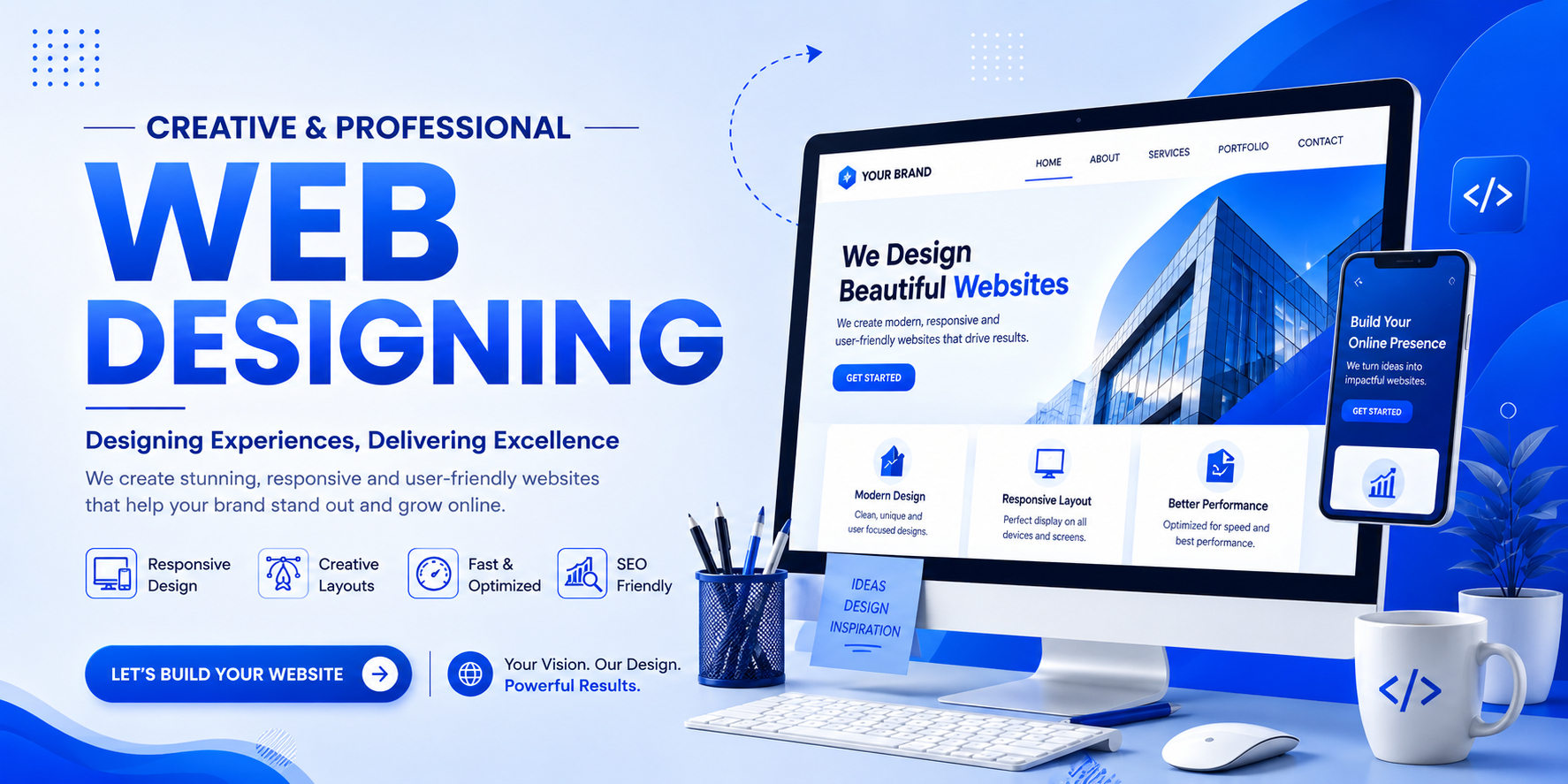
WEB DESIGNING

A domain is the unique name of your website that people type into their browser to visit your site. It acts as your website's online address and makes it easy for users to find you on the internet.

Example:

  • www.clickmantra.com
  • www.google.com

Without a domain, visitors would have to remember your website's IP address, which is difficult and impractical.

What is Web Hosting?

Web hosting is a service that stores all your website's files, images, videos, databases, and code on a secure server connected to the internet. It ensures that your website is accessible to visitors 24/7.

Whenever someone enters your domain name, the hosting server delivers your website's content to their browser.

Simple Example

Think of a website like a house:

  • Domain = Your house address (e.g., 123 Main Street)
  • Hosting = The land and building where your house is located
  • Website = The furniture, rooms, and decorations inside the house

Without hosting, your website has nowhere to exist. Without a domain, people won't know how to find it.

Why Do You Need Both?

  • ✔ Domain gives your website a unique identity.
  • ✔ Hosting stores and displays your website online.
  • ✔ Together, they make your website accessible to users worldwide.


Web designing is the process of creating the visual appearance, layout, and user experience of a website. It focuses on making a website attractive, easy to navigate, responsive, and user-friendly across different devices such as desktops, tablets, and smartphones.

A well-designed website not only looks professional but also helps visitors find information quickly, builds trust, and encourages them to take action, such as making a purchase, filling out a contact form, or exploring your services.

Key Elements of Web Designing                                                                                                 

  • Responsive Design – Ensures the website works perfectly on all screen sizes.                
  • User Interface (UI) – Creates an attractive and visually appealing layout.
  • User Experience (UX) – Makes the website simple, intuitive, and easy to use.
  • Navigation – Helps visitors move through the website effortlessly.
  • Typography & Colors – Uses readable fonts and a consistent color scheme to strengthen the brand.
  • Images & Graphics – Enhances visual appeal and engagement with high-quality visuals.
  • Page Speed – Optimizes the website for fast loading times.
  • SEO-Friendly Structure – Organizes content and code to improve search engine visibility.

Why is Web Designing Important?

  • Creates a strong first impression.
  • Builds trust and credibility.
  • Improves user engagement and satisfaction.
  • Increases conversions and sales.
  • Enhances mobile accessibility.
  • Supports better search engine rankings.


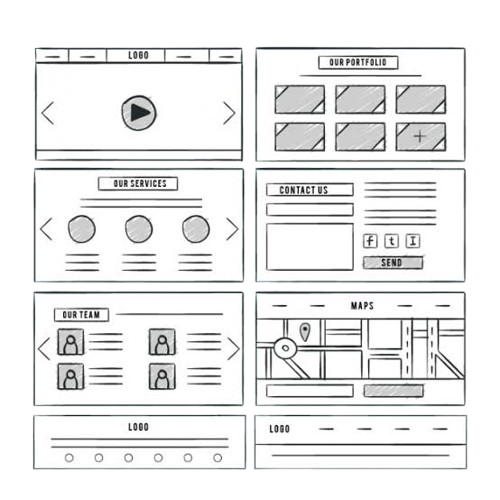
A wireframe is a simple visual blueprint or skeletal layout of a website or application. It outlines the structure, placement of content, navigation, and key elements before the actual design and development begin. Wireframes focus on functionality and user experience rather than colors, images, or visual styling.

By creating a wireframe, designers and clients can plan the website's layout, identify usability issues early, and ensure that every page has a clear purpose before investing time in detailed design.

Key Elements of a Wireframe

  • Page Layout – Defines the overall structure of the page.
  • Navigation Menu – Shows how users will move through the website.
  • Headers & Footers – Indicates the placement of essential information.
  • Content Sections – Organizes text, images, and other content.
  • Buttons & Call-to-Actions (CTAs) – Shows where interactive elements will appear.
  • Forms & Input Fields – Displays the location of contact forms, search bars, and other inputs.

Why is a Wireframe Important?

  • Provides a clear visual plan before designing.
  • Improves user experience by focusing on usability.
  • Saves time and reduces development costs.
  • Makes collaboration easier between designers, developers, and clients.
  • Helps identify layout issues before development starts.

Types of Wireframes

  • Low-Fidelity Wireframe: A basic sketch focusing on layout and structure.
  • Mid-Fidelity Wireframe: Includes more detail, such as spacing and content placement.
  • High-Fidelity Wireframe: Closely resembles the final design with detailed layouts and interactions.

A wireframe is a basic visual blueprint of a website or app that outlines its structure, layout, and functionality before the final design is created.

Websites are designed for different purposes depending on the goals of a business, organization, or individual. From showcasing a portfolio to selling products online, each type of website serves a unique function. Choosing the right type of website is essential for creating a strong online presence and achieving your business objectives.

1. Business Website

A business website represents a company online by providing information about its products, services, team, and contact details. It helps businesses build credibility, generate leads, and attract new customers.

Examples:

  • Company profile
  • Service-based businesses
  • Agencies

2. E-commerce Website

An e-commerce website allows businesses to sell products or services online. Customers can browse products, add them to a cart, make secure payments, and track their orders.

Features:

  • Product catalog
  • Shopping cart
  • Online payment gateway
  • Order management

3. Portfolio Website

A portfolio website is used by professionals to showcase their work, skills, achievements, and experience. It is ideal for designers, photographers, developers, writers, and artists.

Benefits:

  • Displays previous projects
  • Builds professional credibility
  • Helps attract clients and employers

4. Blog Website

A blog website is designed to publish articles, guides, tutorials, and news on specific topics. Blogs help educate readers, improve SEO, and establish authority in a particular niche.

Popular Topics:

  • Technology
  • Digital Marketing
  • Health
  • Travel
  • Education

5. Personal Website

A personal website highlights an individual's background, skills, achievements, hobbies, or personal brand. It acts as an online identity and digital resume.

6. Educational Website

An educational website provides learning resources, online courses, tutorials, and study materials for students and professionals.

Examples:

  • Online learning platforms
  • School and college websites
  • Certification portals

7. News and Magazine Website

A news website publishes the latest news, articles, interviews, and updates on various topics such as politics, sports, entertainment, business, and technology.

8. Landing Page Website

A landing page is a single-page website created for a specific marketing campaign. Its main goal is to convert visitors into leads or customers by encouraging them to take a specific action.

Common Uses:

  • Product launches
  • Lead generation
  • Event registration
  • Special offers

9. Nonprofit Website

A nonprofit website is built for charities, NGOs, and community organizations. It helps spread awareness, collect donations, recruit volunteers, and share information about social initiatives.

10. Social Media Website

A social media website enables users to create profiles, share content, communicate, and interact with others through posts, photos, videos, and messages.

Features:

  • User profiles
  • Messaging
  • Content sharing
  • Community engagement

11. Forum Website

A forum website is an online discussion platform where users ask questions, share knowledge, and engage in conversations around common interests.

12. Membership Website

A membership website offers exclusive content or services to registered users or paid subscribers. Access is usually restricted through login credentials.

Examples:

  • Premium learning portals
  • Subscription communities
  • Exclusive resource libraries

13. Government Website

A government website provides official information, public services, online applications, announcements, and resources for citizens.

14. Entertainment Website

An entertainment website offers engaging content such as videos, music, games, movies, TV shows, podcasts, and celebrity news.

15. Web Application

A web application is an interactive website that allows users to perform tasks online instead of simply viewing information.

Examples:

  • Email platforms
  • Online banking
  • Project management tools
  • CRM software

Why Choosing the Right Website Matters

  • Matches your business goals
  • Improves user experience
  • Increases customer engagement
  • Builds brand credibility
  • Supports SEO and digital marketing
  • Helps generate leads and sales